Arc Browser Review
The most opinionated browser you can install. Arc rethinks how tabs and spaces work in ways that are genuinely better — if you're willing to unlearn a few habits.
What Arc actually is
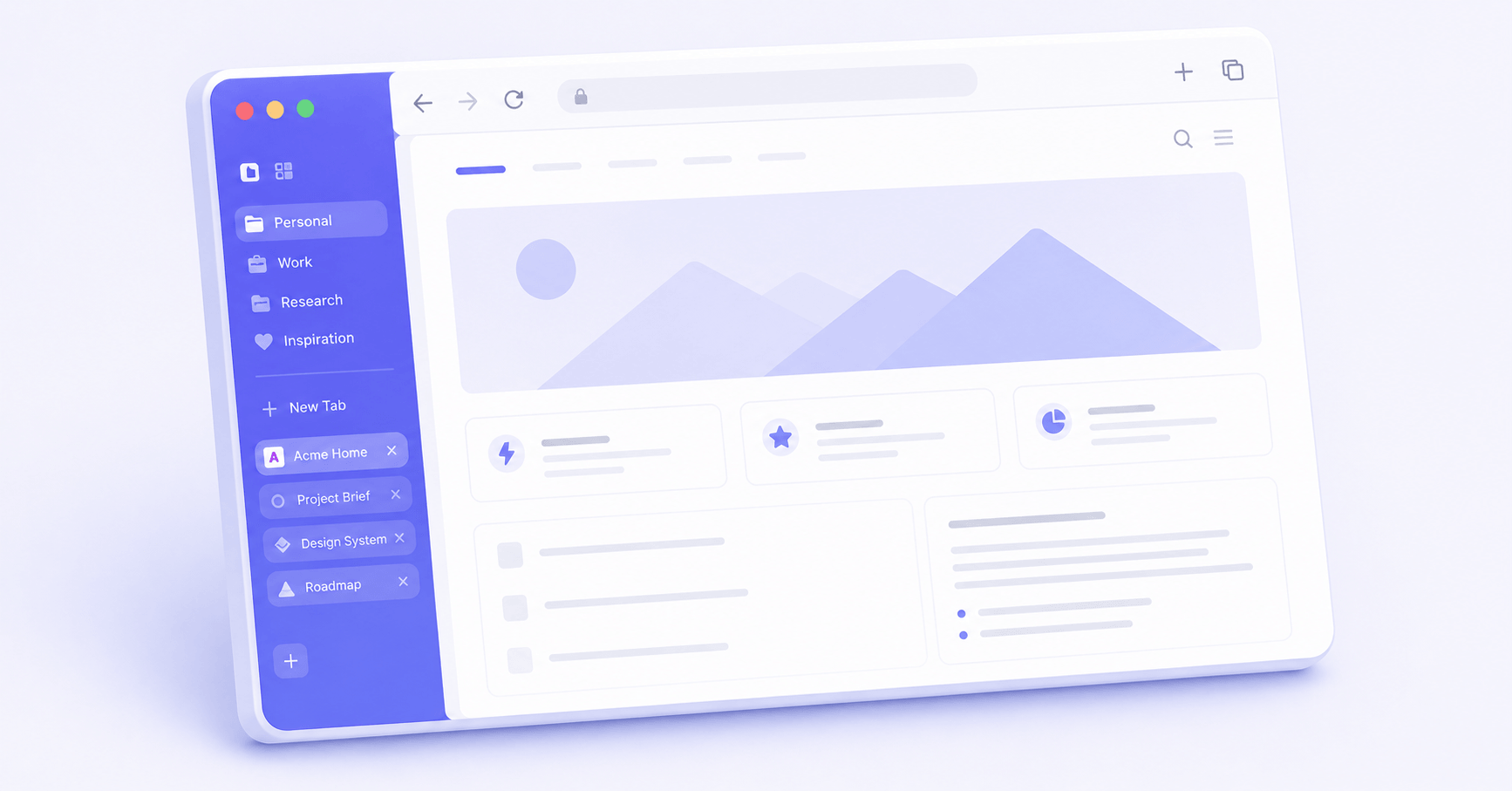
Arc is a browser made by The Browser Company, a New York startup that launched it publicly in 2022. It runs on the same Chromium engine as Google Chrome, so every extension you already use will work — but the interface is completely redesigned from the ground up. The tab bar moves to the left side. Pages get organised into "Spaces." There's a built-in notes panel, a command bar, and a feature called Boosts that lets you customise any website without code.
We spent three months using Arc as our primary browser. The short version: it's genuinely different, and for some people it's a significant improvement. For others, it's a puzzle box they'll never fully unpack.
Who it's actually for
Arc works well if you have too many tabs open constantly, work across multiple projects or contexts, and don't mind spending a weekend reconfiguring how you use a browser. It's not for people who want to open a browser and have it just work like every browser they've ever used.
The ideal Arc user is someone who has already tried Chrome, Firefox, Safari, and Edge, found them all a bit dull, and wants something that treats the browser as a productivity layer rather than just a window to the web. If that's you, Arc is worth serious consideration. If you're happy with what you've got, there's no urgent reason to switch.
What it does well
The Spaces system is Arc's best idea. You create separate Spaces for separate contexts — one for work, one for personal, one for a side project — and each Space has its own set of pinned tabs, browsing history, and visual identity. Switching between them is instant. We've been using a Work space and a Research space for months and genuinely don't miss the old tab-juggling approach.
The sidebar layout takes an adjustment but it's better. Your pinned tabs sit at the top, your temporary browsing tabs below, and anything you archive disappears after 12 hours by default. That last bit sounds alarming but in practice it means your browser stops accumulating 200 forgotten tabs. We found it clarifying.
The command bar (Cmd+T or Cmd+L) is excellent. Search, open a new tab, run a built-in command, search within a specific site — all from one keyboard shortcut. Once it's a habit, going back to Chrome's address bar feels primitive.
Boosts, Arc's website-customisation feature, lets you hide elements, change fonts, or inject CSS on any page permanently. We used it to remove a persistent banner on a site we visit daily. It took about four minutes and it actually works.
What it doesn't do well
Arc is only available on macOS and iOS. If you use Windows at work and a Mac at home, Arc can't be your everywhere browser. The Browser Company has been working on a Windows version for a long time, but at time of writing it's a separate product (Arc for Windows) that doesn't have feature parity. That's a real limitation.
The learning curve is steeper than Arc's marketing suggests. The onboarding is friendly, but the full Spaces and Boosts system takes meaningful time to configure properly. We'd estimate two or three days of use before it starts to feel natural rather than awkward.
Some websites behave oddly with Arc's rendering. We ran into layout issues on three sites we use regularly — nothing that broke our workflow, but it required toggling to a different browser occasionally. This is less about Arc specifically and more about the risk of running any non-mainstream browser.
Arc also discontinued its mobile browser features in 2025, shifting focus elsewhere. This isn't fatal but it's worth knowing: the company is still finding its product direction, which means features may change.
Verdict
Arc is the most interesting browser available right now, and we say that having tested it seriously rather than just playing with it for a week. The Spaces system genuinely changes how you organise browser sessions. The command bar is better than anything Chrome offers natively. The tab-archiving behaviour, annoying at first, becomes a genuine relief.
But "interesting" isn't the same as "universally better." If you're on Windows, Arc isn't really an option yet. If you use a browser primarily for quick searches and a few steady sites, Arc's organisational complexity adds overhead you don't need. And if you're the kind of person who dislikes updating their muscle memory for tools they already know, the transition cost is real.
Best for: Mac users who live in their browser, manage multiple projects, and are genuinely frustrated by standard browser interfaces. If that's you, give it a proper two-week trial. Score: 7/10. Verdict: worth it, with caveats.